A weekly meal planner with a grocery list
Plan breakfast, lunch and dinner for seven days, then fill in the grocery list on the same sheet. Type on the weekly meal planner and print it, or plan online and copy last week's meals in one click.
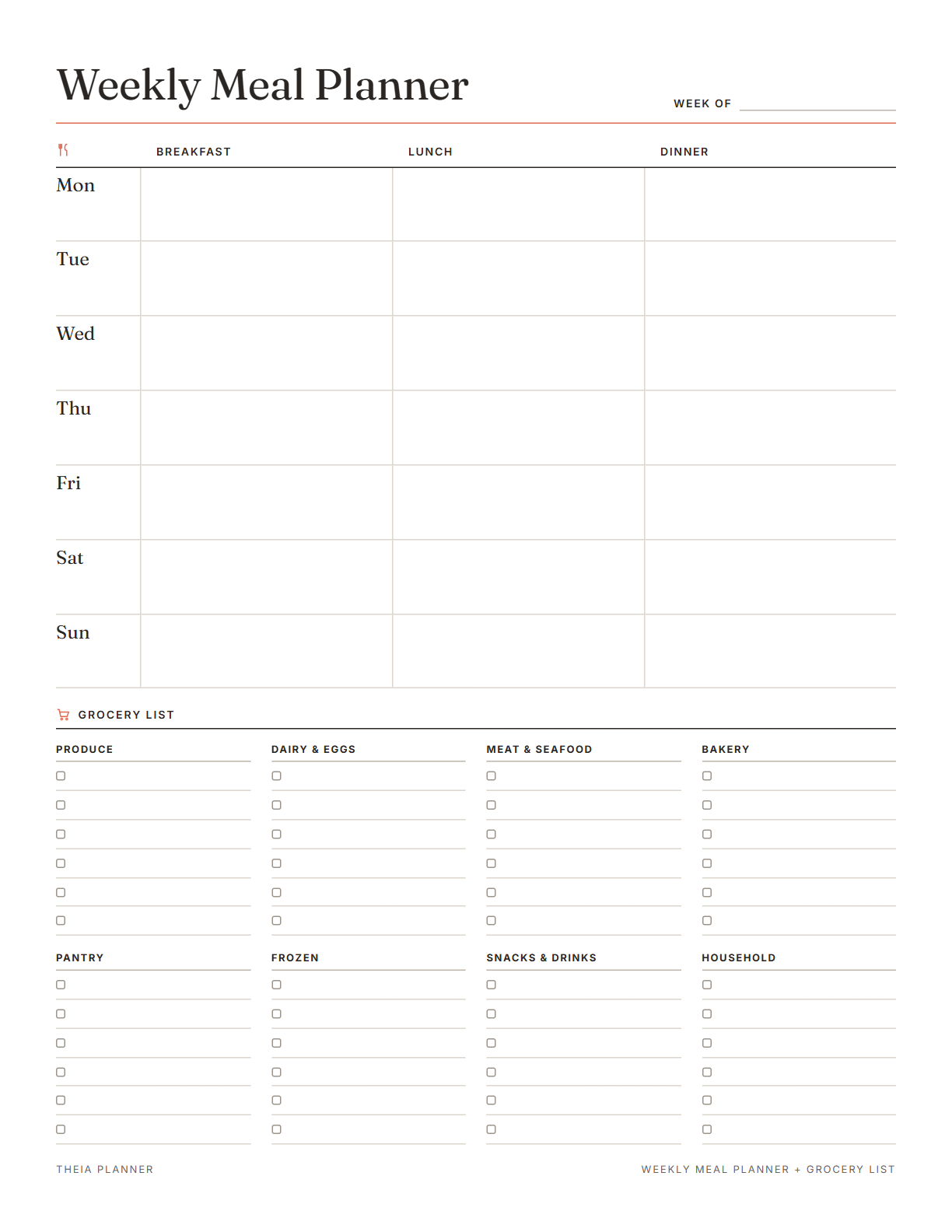
Weekly meal planner printable with grocery list
Pick your settings, type on the lines and tick the boxes, then print it or save it as a PDF. It is free, with no sign-up and no email.
What the meal planner does
How to plan the week with the meal planning app
- Fill in the weekType a meal into each slot. Leave a slot blank for leftovers or a night out.
- Write the grocery list by aisleGo through each dinner and add what you need under the right aisle on the same sheet.
- Print it or plan onlinePrint the sheet for the fridge. Next week, plan online and copy last week to save time.
How to plan meals for the week
A little planning on the weekend can save time on busy weeknights. These tips keep meal planning simple.
Look at the days ahead before you plan. Pick quick meals for late nights and save longer recipes for free evenings.
Dinners usually take the most planning. Fill those in first, then add breakfasts and lunches. Simple repeats, like the same breakfast most days, are fine.
Cook a bigger batch one night and write the leftovers into the next day's lunch. Writing Leftovers in that slot means nobody cooks twice.
Write the grocery list one meal at a time, grouped by aisle. Check what you already have before you go to the store.
Note the meals everyone liked in a Notes block. Look at it when you run out of ideas. A few reliable meals make the next plan faster to write.
If you follow a diet for a health reason, ask your doctor or a registered dietitian for guidance. The planner itself does not check nutrition.
Reminders in your Google Calendar
Connect Google Calendar once, and these items are added to a separate “Theia Planner” calendar. Items with a time get a reminder 30 minutes before.
How calendar sync works- A shopping trip, added as a dated task
- Repeating tasks, such as Sunday meal prep at 4pm
- Timed tasks, each with a reminder half an hour ahead
- Workout days, if you use the fitness template
Who uses a weekly meal planner
Plan dinners everyone will eat and share the plan in a family space. The printed copy on the fridge answers the dinner question too.
Know what is for dinner before you get home, so there is no guessing at 6pm. Quick meals go on the nights with late practice or long shifts.
Shopping from a plan helps you buy what the week needs. Pair it with an expense tracker to see what groceries cost each month.
The Weight loss and fitness template puts the meal plan next to your workouts and water count.
What the research says
Specific plans are more likely to get done
A meta-analysis of 94 tests found that planning when and where to act had a medium-to-large effect on reaching goals.
Meal planning app, printable or spreadsheet?
Each option works. The table below shows what each one does for you.
| Feature | Theia Planner | Free printable | Spreadsheet |
|---|---|---|---|
| Free to start | |||
| Set up for you in about a minute | |||
| Reminders on your phone | |||
| Dates and totals worked out for you | |||
| Works on phone and computer | |||
| Shared with family, with roles | |||
| A paper copy for the fridge |
Weekly meal planner questions
Is the weekly meal planner free?
Yes. Planning and printing the week on this page costs nothing, and there is no account to make. The online meal plan is also free to begin, with no payment details.
Is this a meal planner with grocery list space?
Yes. The printable has a grocery list in eight aisles next to the week. Online, add a Checklist block beside the meal plan and use it as your list.
Can I type on the weekly meal planner printable?
Yes. Type meals and groceries on screen before you print. Your text stays in this browser, and nothing is sent to our servers. Choose Letter or A4 and a Monday or Sunday start before you print.
Does the grocery list fill in from my meals?
No. You add the items yourself, on paper and online. It takes a few minutes once the week is planned. Writing items under each aisle keeps the list in shopping order.
Can I add snacks to the meal plan?
No. The printable and the online plan both have breakfast, lunch and dinner. You can add snack items to the grocery list.
Can I reuse a meal plan?
Yes. Online, Copy last week fills this week with last week's meals. You can then change any cell. On paper, keep last week's sheet and copy the meals you liked.
Does it include recipes or nutrition facts?
No. The planner holds the names of your meals. For a special diet, ask your doctor or a registered dietitian.
Is there an Excel or Google Sheets meal plan template?
No. The meal plan template is a web page that you print or turn into a PDF. If you prefer a pen, Download blank PDF gets an empty copy in Letter or A4.
More free planners and trackers

Plan this week's meals
It is free to start, and the setup takes about a minute.
Start free