A free Eisenhower matrix to sort your tasks
This Eisenhower matrix template has four boxes for sorting tasks by urgent and important, with seven lines in each. Copy the tasks you will do today into the numbered list at the bottom. Fill it in on screen and print it, or keep a PDF copy.
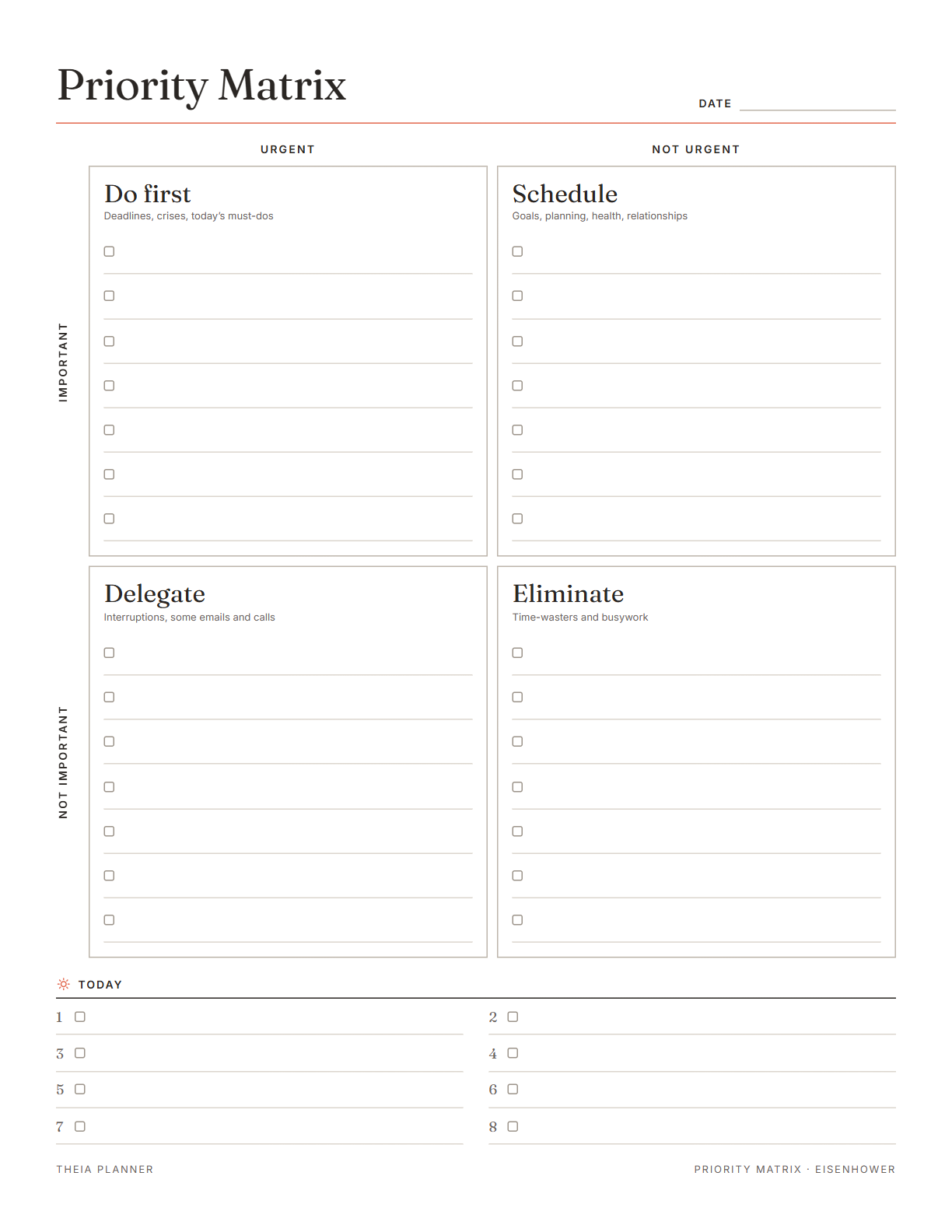
Blank Eisenhower matrix to type on and print
Pick your settings, type on the lines and tick the boxes, then print it or save it as a PDF. It is free, with no sign-up and no email.
What is on the Eisenhower matrix template
How to use a priority matrix
- Write everything downType every task you can think of into the box where it seems to fit. Choose Letter or A4 and an accent color.
- Sort by urgent and importantAsk two questions about each task. Does it have a near deadline, and does it matter for your goals or duties?
- Plan today and printCopy up to eight tasks into the Today list in the order you will do them. Press Print or save as PDF.
The free online version, in action
The four boxes of the Eisenhower matrix, with examples
The method is named after Dwight D. Eisenhower, the 34th US president. Stephen Covey made it widely known in his book The 7 Habits of Highly Effective People.
These tasks have a deadline today or tomorrow and real effects if they are missed. Examples are a paper due in the morning, a sick child or a bill due today.
This box holds the work that moves your goals forward, such as studying for next month's exam or a yearly checkup. Give each task a day and a time so it gets done before it turns urgent.
These tasks need doing soon, but they do not need you. A routine work reply, a grocery run a partner can take or a form a teammate can fill in all belong here.
Long scrolling sessions, meetings you do not need and errands that no longer matter go in this box. Cross them off, or keep one as a break you choose on purpose. If this box fills up every week, it shows where your free time tends to go.
After sorting, number the tasks you will do today. Start with Do first, then add one or two Schedule tasks so important work keeps moving. Leave Delegate tasks off your own list once you have asked someone to take them.
Tasks move between boxes as their deadlines get closer. Fill in a fresh Eisenhower matrix template every week, or clear the sheet and retype it.
Reminders in your Google Calendar
Connect Google Calendar once, and these items are added to a separate “Theia Planner” calendar. Items with a time get a reminder 30 minutes before.
How calendar sync works- Tasks with a date, on their day
- A popup 30 minutes before each timed task
- Repeating tasks, such as a weekly review
- Tasks from a shared space that are yours or everyone's
A priority matrix template for home, school and work
Sort chores, appointments and bills. See what needs you today and what someone else in the house can take.
Separate tomorrow's deadline from next month's exam, and plan study time before the exam gets close.
Sort email, meetings and projects on Monday morning. Decide early which tasks to hand to a colleague.
When the list is long, the Eliminate box shows what you can drop without much loss.
What the research says
Making a plan calms the mind
Making a specific plan for an unfinished task reduced intrusive thoughts about that task.
Urgent important matrix on paper or online?
Each option works. The table below shows what each one does for you.
| Feature | Theia Planner | Free printable | Spreadsheet |
|---|---|---|---|
| Free to start | |||
| Set up for you in about a minute | |||
| Reminders on your phone | |||
| Dates and totals worked out for you | |||
| Works on phone and computer | |||
| Shared with family, with roles | |||
| A paper copy for the fridge |
Eisenhower matrix questions
What is an Eisenhower matrix?
It is a grid of four boxes that sorts tasks by two questions: is it urgent, and is it important? Each box has its own action, from doing it now to dropping it.
Is the Eisenhower matrix template free?
Yes. No sign-up or email is needed. You can type on it, print it and download a blank copy at no cost.
Can I get an Eisenhower matrix PDF?
Yes. Press Download blank PDF for a blank copy in Letter or A4. For a copy with your typed tasks, open the print window and set the destination to Save as PDF.
Is the blank Eisenhower matrix PDF fillable?
No. The downloaded PDF is for printing and writing by hand. To type your tasks, fill in the sheet on this page before you print it.
What is the difference between a priority matrix and a priority list?
A priority matrix sorts tasks into groups by urgency and importance. A priority list puts tasks in the order you will do them. This sheet has both.
How do I know if a task is urgent or important?
Urgent tasks have a near deadline or someone waiting on them. Important tasks connect to your goals, health, studies or duties. A task can be one, both or neither.
Does the online app have a matrix layout?
No. The app does not have a four-box layout yet. You can keep tasks in its to-do list, give the important ones a date and time, and work through them in Focus view.
Is there an Excel or Google Sheets version?
No. There are no Word, Excel, Google Docs or Google Sheets versions. The sheet is made to fill in on screen and print.
More free planners and trackers

Keep your priority list online, free
It is free to start, and the setup takes about a minute.
Start free