A free goal setting worksheet with SMART steps
Write one goal and shape it with the SMART method: specific, measurable, achievable, relevant and time-bound. Plan six action steps and check in each week for 12 weeks. Then log your progress online with the free goal tracker.
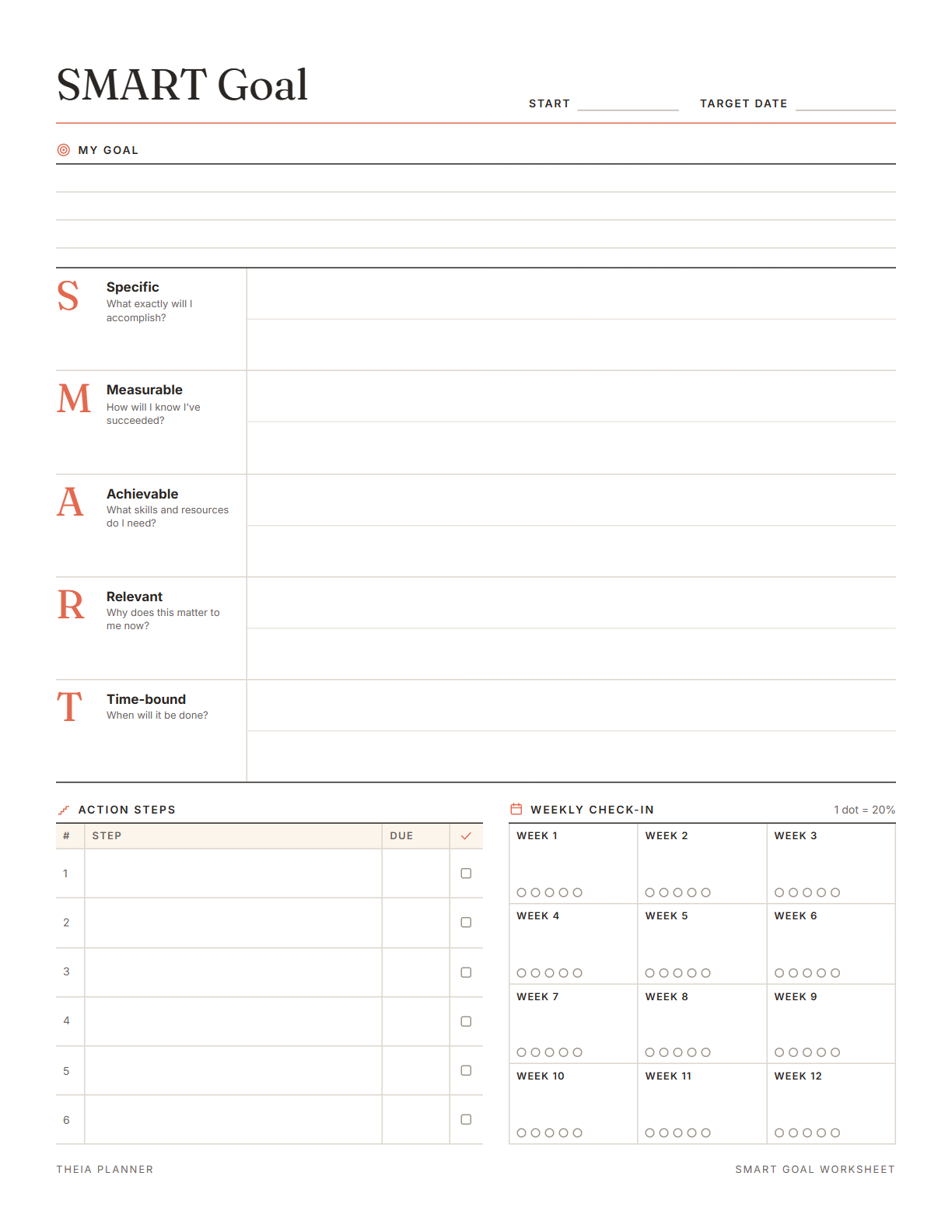
Free SMART goal template to print
Pick your settings, type on the lines and tick the boxes, then print it or save it as a PDF. It is free, with no sign-up and no email.
What the SMART goal worksheet and tracker do
How to use the goal setting worksheet
- Write a SMART goalAnswer the five prompts on the worksheet, then fill in your start and target dates.
- Plan steps and check inList six action steps with due dates. Fill in the check-in dots at the end of each week.
- Track it onlineAdd a tracker, rename it after your goal and log a number whenever you make progress.
How to set SMART goals
SMART goals are usually credited to George T. Doran's 1981 article in Management Review. Each letter is a test your goal should pass before you start.
Write the result in plain words, such as run a half marathon in May. A clear result tells you what to do first.
Choose something you can count, like miles run or job applications sent. A number makes progress easy to see on a chart.
Compare the goal with the hours you really have each week. Scale it down if it needs more time than you can give. You can raise the target later, once the first steps are done.
A goal tied to something you care about is easier to keep working on. Note the reason on the worksheet. Read it again in a week when progress feels slow.
A date turns a someday goal into a plan. Add a countdown block online so the days left stay in view.
Pick one time each week to fill in the check-in dots and look at the open steps. Change the plan if you are falling behind.
Reminders in your Google Calendar
Connect Google Calendar once, and these items are added to a separate “Theia Planner” calendar. Items with a time get a reminder 30 minutes before.
How calendar sync works- Dated steps from a checklist on the same board
- Repeating check-ins, such as a Sunday review
- Steps with a time, plus a reminder half an hour earlier
- Workout days, if your goal is about fitness
Goals people plan with it
Plan job applications, courses or hours of practice toward a new role, then count them in the tracker. The Job search template already sets a weekly goal for applications.
Set a race or a weekly workout target and log miles or minutes as the weeks go by. Ask your doctor first if the new routine is much harder than usual.
Break a test or a new skill into steps and track pages read or hours of study. Pair it with a study plan when there is an exam date.
Turn a home project, a side business or a book you are writing into dated steps. The check-in dots show which weeks moved it forward.
What the research says
Specific plans are more likely to get done
A meta-analysis of 94 tests found that planning when and where to act had a medium-to-large effect on reaching goals.
Tracking progress helps
A review of 138 studies with nearly 20,000 people found that monitoring progress helped people reach goals. The effect was larger when progress was written down or shared.
Goal setting template, app or spreadsheet?
Each option works. The table below shows what each one does for you.
| Feature | Theia Planner | Free printable | Spreadsheet |
|---|---|---|---|
| Free to start | |||
| Set up for you in about a minute | |||
| Reminders on your phone | |||
| Dates and totals worked out for you | |||
| Works on phone and computer | |||
| Shared with family, with roles | |||
| A paper copy for the fridge |
Goal setting worksheet questions
Is the goal setting worksheet free?
Yes. You can fill in the worksheet, print it and keep a PDF without signing up. Online, a goal tracker board is free to begin, and you never add a card.
What do SMART goals stand for?
SMART stands for Specific, Measurable, Achievable, Relevant and Time-bound. The worksheet gives each letter its own box with a prompt question.
Who came up with SMART goals?
They are usually credited to George T. Doran. He described the idea in a 1981 article in Management Review.
Can I fill in the goal setting worksheet on screen?
Yes. Type on the lines, then click the boxes and dots to tick them. The words you type are kept only in this browser, and Clear wipes them.
Is there a Word or Google Docs smart goal template?
No. The SMART goal worksheet lives on this page, ready for your printer or a PDF. A blank version is also ready to download in Letter or A4 size.
Can I track more than one goal?
Yes. Print a worksheet for each goal. Online, add a tracker for each goal on the same board, or give each goal its own board. One or two goals at a time are easier to keep up with.
Can I log progress for a past day?
No. Each number in the online tracker is saved with today's date. Log it on the day you make the progress.
Do my goals show in Google Calendar?
Yes. Dated and repeating steps in a checklist go to Google Calendar. The tracker's numbers stay in the app.
More free planners and trackers

Set your goal and start tracking
It is free to start, and the setup takes about a minute.
Start free