A free habit tracker printable for any month
Type your habits onto the habit tracker printable, tick a circle for each day and print it for your wall. The sheet holds 10 or 20 habits across 31 days. For streaks and a week grid, use the free habit tracker app.
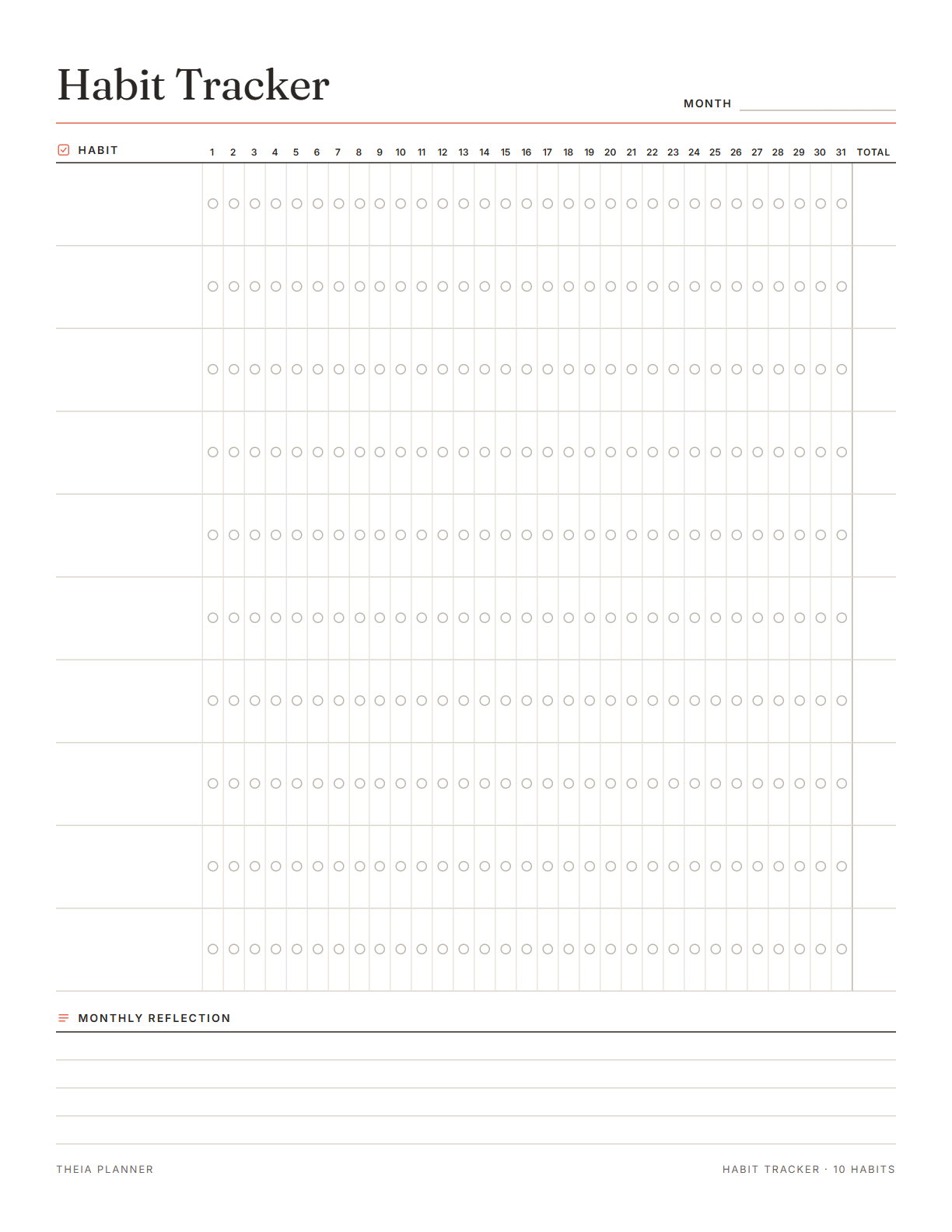
Habit tracker printable for 10 or 20 habits
Pick your settings, type on the lines and tick the boxes, then print it or save it as a PDF. It is free, with no sign-up and no email.
What the printable habit tracker and app do
How to start a monthly habit tracker
- Set up the sheetPick 10 or 20 habits, a month or no date, and Letter or A4 paper.
- Type your habits and printWrite one habit per row, change the title if you like, then print it or save a PDF.
- Tick each dayFill in a circle on paper or click it on screen. Use the app when you also want streaks and a week grid.
How to build habits that last
Habit tracking helps most when the habits are small and the routine is easy. These tips come from common practice and from habit research.
Too many new habits at once can make every day feel like a test. Add more once the first ones feel normal. The 10-habit sheet leaves room to grow during the month.
Write a habit you can still do on a busy day, like ten minutes of reading. A clear habit is easy to tick with confidence.
Link the new habit to a routine you have, such as stretching after you brush your teeth. The old routine becomes the reminder.
Put the sheet on the fridge or next to your desk. Tick the day's circles at the same time each evening, so the record stays complete.
Missing a single day is normal and does not undo your progress. Start the habit again the following day, and a new streak begins. On paper, leave that circle empty and carry on, since the Total still counts every other tick.
Reminders in your Google Calendar
Connect Google Calendar once, and these items are added to a separate “Theia Planner” calendar. Items with a time get a reminder 30 minutes before.
How calendar sync works- Dated tasks on the same board
- Repeating tasks, such as a weekly review on Sunday
- A reminder 30 minutes ahead of any timed task
- Workout days, if you add a workout plan
Who uses a habit tracker
Give each small step of your morning its own row and tick it as you go. A printed sheet near the mirror keeps the list in front of you.
Keep daily study, reading or sleep habits on the same board as your classes and deadlines.
Follow daily walks, water or an earlier bedtime. Talk to your doctor before a big change in diet or exercise.
Keep one or two work habits, like planning the day or taking a short break, beside your to-do list. The Today panel shows both in one place.
What the research says
Habits take time, and one missed day is fine
In one study, new habits took a median of 66 days to feel automatic. The range was 18 to 254 days. Missing a single day did not have a real effect on progress.
Tracking progress helps
A review of 138 studies with nearly 20,000 people found that monitoring progress helped people reach goals. The effect was larger when progress was written down or shared.
Habit tracker printable, app or spreadsheet?
Each option works. The table below shows what each one does for you.
| Feature | Theia Planner | Free printable | Spreadsheet |
|---|---|---|---|
| Free to start | |||
| Set up for you in about a minute | |||
| Reminders on your phone | |||
| Dates and totals worked out for you | |||
| Works on phone and computer | |||
| Shared with family, with roles | |||
| A paper copy for the fridge |
Habit tracker printable questions
Is the habit tracker printable free?
Yes. You can fill in and print the sheet without an account or an email address. The online habit tracker costs nothing to start, and no card is asked for.
Can I type on the printable habit tracker before printing?
Yes. Type your habits onto the lines and tick circles on screen. The text is saved in this browser only, and nothing is sent to our servers.
Is there a monthly habit tracker for 2027?
Yes. Pick any month of 2027 or 2028, and the extra days at the end are grayed out. You can also print an undated sheet and write the month yourself.
Can I get the habit tracker template as a PDF?
Yes. The Print or save as PDF button opens your browser's print window, where Save as PDF is one of the printer choices. For an empty copy, Download blank PDF gives you the sheet in Letter or A4.
Does the habit tracker printable work in black and white?
Yes. You choose one of five accent colors, and everything else prints in black and gray. The sheet stays easy to read on a black and white printer.
What happens to my streak if I miss a day?
In the app, the streak starts again from zero on your next ticked day. The grid still shows every day you did the habit.
Do my habits show in Google Calendar?
No. Habits stay in the app, where you tick them. Google Calendar gets your dated and repeating tasks instead.
Is the free habit tracker app on iPhone or Android?
No. There is no app store download. Open the habit tracker in the browser of any phone, tablet or computer, and your ticks are the same on each.
More free planners and trackers

Start your habit tracker today
It is free to start, and the setup takes about a minute.
Start free