A free assignment tracker for every class
Write each assignment with its course, due date and priority, then tick it off when you hand it in. The printable has 22 rows and a line for the term. The online assignment tracker adds class averages, a finals countdown and a study hours log.
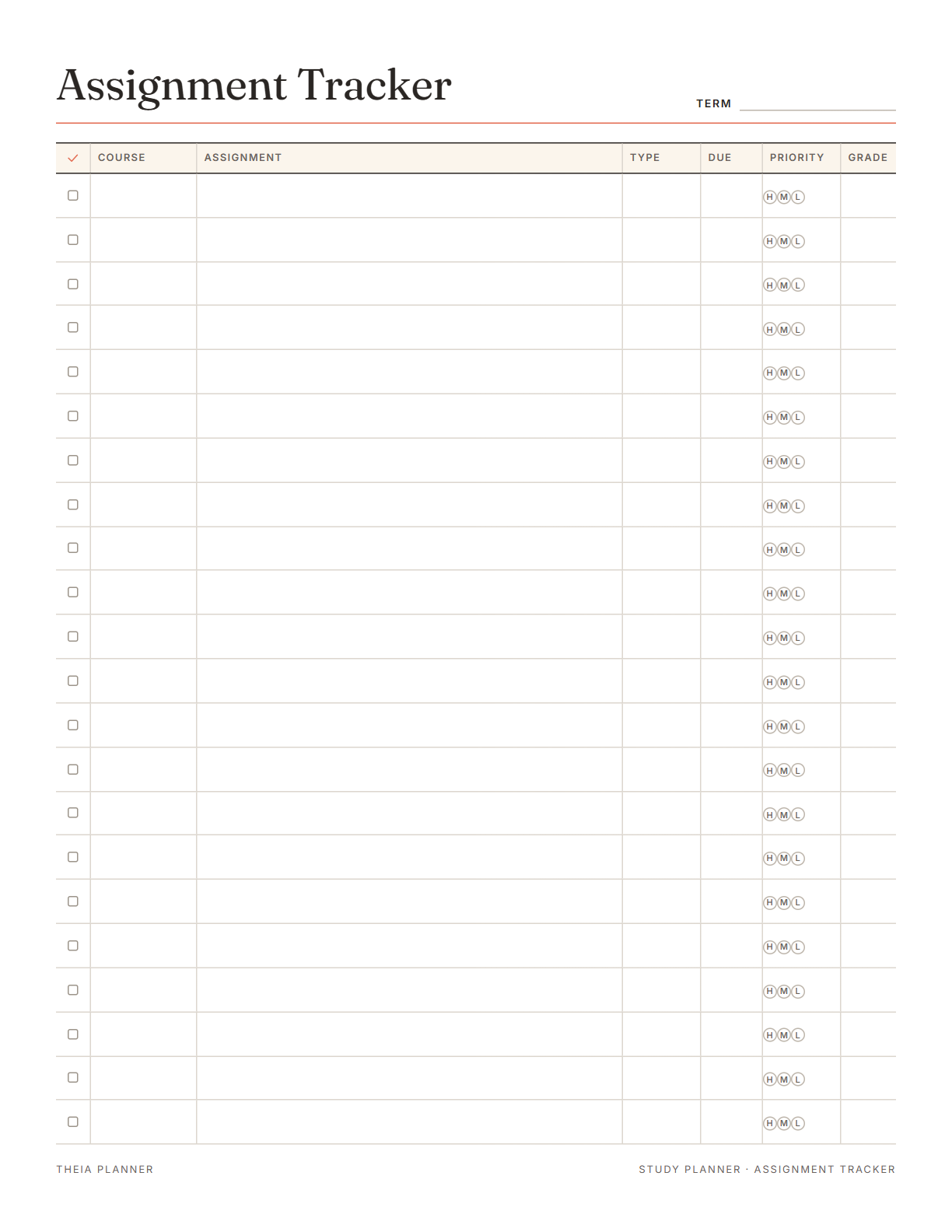
Free printable assignment tracker template
Pick your settings, type on the lines and tick the boxes, then print it or save it as a PDF. It is free, with no sign-up and no email.
What the assignment tracker keeps for you
How to set up your homework planner
- Add your classesOpen Classes under the list, remove the two sample classes and type your own.
- Enter assignments as you get themPick the class, type the assignment with its due day and press Enter.
- Tick and gradeTick work when you hand it in. Add the grade when it comes back to keep class averages current.
How to keep track of assignments all semester
Missed homework usually starts with a due date that was never written down. These habits keep your list complete.
An assignment tracker only helps when every task is in it. Add new work as soon as the teacher gives it. A phone in your bag makes this a ten-second job.
At the start of the term, copy every due date from each syllabus. Big papers and exams then show up weeks ahead. On the printed sheet, list them in due-date order.
Break a research paper into steps such as an outline, a draft and a final copy. Give each step its own due date. On the printed sheet, each step can take its own row.
Look at the This week tab on Sunday evening. Decide which evenings go to which assignment. On paper, circle H next to anything due in the next few days.
Add quizzes and exams next to homework, with a time if you know it. Timed items get a calendar reminder 30 minutes before.
Grades entered right away keep each class average current. You can see early which class needs more of your time.
Reminders in your Google Calendar
Connect Google Calendar once, and these items are added to a separate “Theia Planner” calendar. Items with a time get a reminder 30 minutes before.
How calendar sync works- Each assignment on its due date
- Tests and quizzes at their start time
- Study blocks you set to repeat each week
- Finished work marked as done
Who uses an assignment book
Homework for every class in one list, with a color for each subject. The printed sheet fits in a binder next to class notes.
A college planner for papers, labs and exams, with a grade average per course. Syllabus dates go in at the start of term.
Print the free sheet and fill it in together after school each day. Circling a priority letter helps a child see what comes first.
See the whole week of deadlines before you pick up extra shifts. The priority letters show which work cannot wait.
What the research says
Making a plan calms the mind
Making a specific plan for an unfinished task reduced intrusive thoughts about that task.
Assignment book, app or spreadsheet?
Each option works. The table below shows what each one does for you.
| Feature | Theia Planner | Free printable | Spreadsheet |
|---|---|---|---|
| Free to start | |||
| Set up for you in about a minute | |||
| Reminders on your phone | |||
| Dates and totals worked out for you | |||
| Works on phone and computer | |||
| Shared with family, with roles | |||
| A paper copy for the fridge |
Assignment tracker questions
Is the assignment tracker free?
Yes. The tracker sheet asks for no account or email address. Starting the online semester board is free too, and you never enter a card.
What is on the assignment tracker template?
It has 22 rows with a done box, course, assignment, type, due date, priority and grade. A line for the term sits at the top. Print a new sheet when the rows fill up, or keep one sheet for each course.
Can I fill in the printable tracker on screen?
Yes. Type into the rows and click a box or a priority letter to mark it. What you type is saved in this browser and nowhere else, until you press Clear.
Can I sort homework by class?
Yes. In the online tracker, each assignment can belong to a class with its own color. Tap a class above the list to show only its work.
Does the online version work out my grades?
Yes. It shows the plain average of the grades you enter for each class. It does not weight assignments, so treat it as a rough guide.
What else comes with the online semester board?
The semester board also has a finals countdown, a study hours log, daily habits, a mood check-in and a reading list. Class notes and links go in a notes block.
Will due dates show up on my phone?
Yes. Connect Google Calendar once, and each dated assignment is added to a separate calendar. Your phone then shows it on the due date.
Does it connect to Canvas or Google Classroom?
No. You add assignments yourself. That keeps the tracker simple, and it works for any school or teacher. With quick add, copying a due date takes a few seconds.
More free planners and trackers

Start your free assignment tracker
It is free to start, and the setup takes about a minute.
Start free