A free study planner for any week or exam
Print a weekly study timetable that runs from 7am to 9pm, or let the online study planner build a full plan. Enter your exam, your test date and the hours you have each week. You get dated sessions, practice tests, review days and a countdown.
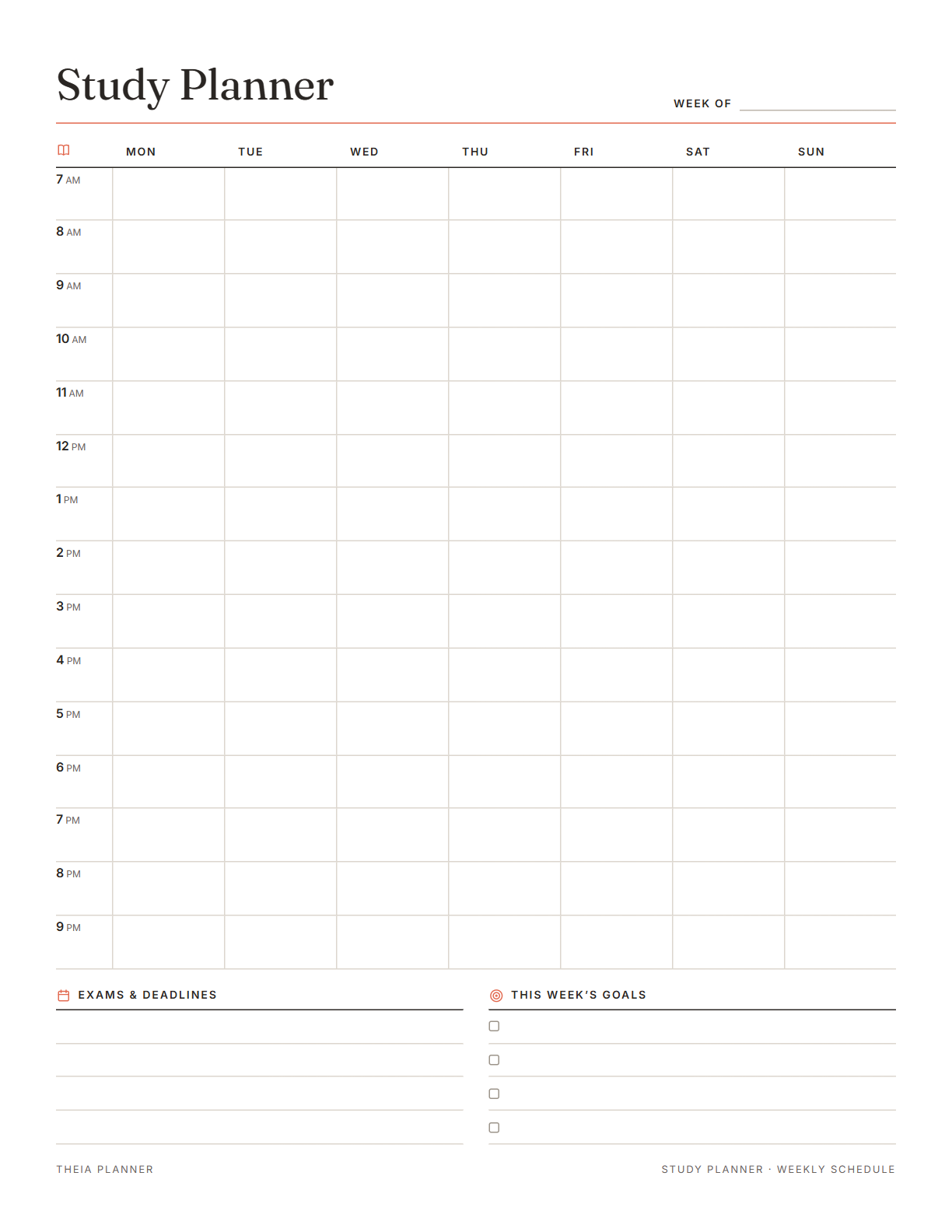
Study planner printable with a weekly study schedule
Pick your settings, type on the lines and tick the boxes, then print it or save it as a PDF. It is free, with no sign-up and no email.
What the study planner does for you
How to set up your study schedule
- Answer three quick questionsChoose your exam and test date, then enter your weekly hours and pick the days you can study.
- Check the summaryBefore you create the board, the form shows how many sessions and practice tests your plan will have.
- Tick sessions as you finishYour hours, habits and scores update as you work. Change any session when your week changes.
How to create a study schedule you can keep
To create a study schedule, block out your fixed hours, list your exams and deadlines, then give each free block one task. These steps work on the printable sheet or online.
Shade classes, work, travel and meals on the weekly grid. The open boxes that remain are the time you really have for study.
Put each test and due date in the Exams and deadlines box. Count the weeks left, and save timed practice for the final weeks.
Count the hours you can study in a normal week, including busy ones. A study planner built on real hours is easier to follow. In a short week, write fewer blocks and keep the ones you write.
Write a task such as Chapter 4 practice problems in each study block. A clear task is easier to start than a subject name alone.
Moving between subjects during the week means none of them goes untouched for long. Online, the planner rotates sections from one session to the next.
Check what you finished and move any missed blocks to the coming week. Set this week's goals before you print a fresh sheet.
Reminders in your Google Calendar
Connect Google Calendar once, and these items are added to a separate “Theia Planner” calendar. Items with a time get a reminder 30 minutes before.
How calendar sync works- Every study session with its start time and length
- Each practice test, starting at 9am
- Review sessions after each practice test
- The rest day before your exam
- Test day itself, at 8am
A study plan template for every kind of exam
Plan for the SAT or a final exam around classes, sports and part-time work. The printed grid shows where practice fits after school.
Fit GMAT, GRE or LSAT study into evenings and weekends, with sessions sized to your free hours.
Spread MCAT content over months, with full-length practice exams near the end. Lab and class hours go on the weekly grid first.
Choose Something else, type the exam name and get topic review, practice problems and past papers.
What the research says
Specific plans are more likely to get done
A meta-analysis of 94 tests found that planning when and where to act had a medium-to-large effect on reaching goals.
Study planner app, printable or spreadsheet?
Each option works. The table below shows what each one does for you.
| Feature | Theia Planner | Free printable | Spreadsheet |
|---|---|---|---|
| Free to start | |||
| Set up for you in about a minute | |||
| Reminders on your phone | |||
| Dates and totals worked out for you | |||
| Works on phone and computer | |||
| Shared with family, with roles | |||
| A paper copy for the fridge |
Study planner questions
Is the study planner free?
Yes. The study planner printable opens without an account and costs nothing to print. The online exam plan is free to set up, with no card required.
How do I create a study schedule?
Start by marking classes, work and other fixed hours on a weekly grid. Add your exams and deadlines, then give each free block one task. Review the week every Sunday.
What is on the study timetable printable?
It has a 7am to 9pm grid for seven days, four lines for exams and deadlines, and four lines for weekly goals. The week can start on Monday or Sunday.
Which exams does the online study planner support?
It has ready plans for the LSAT, GRE, SAT, MCAT and GMAT. Choose Something else for any other test, such as a class final.
Can I change the study schedule after it is made?
Yes. Every session is a normal task, so you can change its date, time or minutes. You can also delete sessions or add your own.
What happens if I miss a study session?
The session stays in your list and is marked late. Overdue sessions also appear in Focus view, where you work through them one by one.
Is there a timer for study sessions?
Yes. Focus view shows one session at a time with a timer set to its length. When the time is up, you can mark the session done.
Does my exam study plan go to Google Calendar?
Yes. After you connect Google Calendar, every session and practice test is added at its time and length. A reminder comes 30 minutes before each one starts.
More free planners and trackers

Build your free study plan
It is free to start, and the setup takes about a minute.
Start free