A free study guide template for any class
This study guide template fits one topic on one page. Fill in key concepts, terms, formulas, practice questions and a short summary in your own words. Type your notes on screen before you print, or keep a PDF copy.
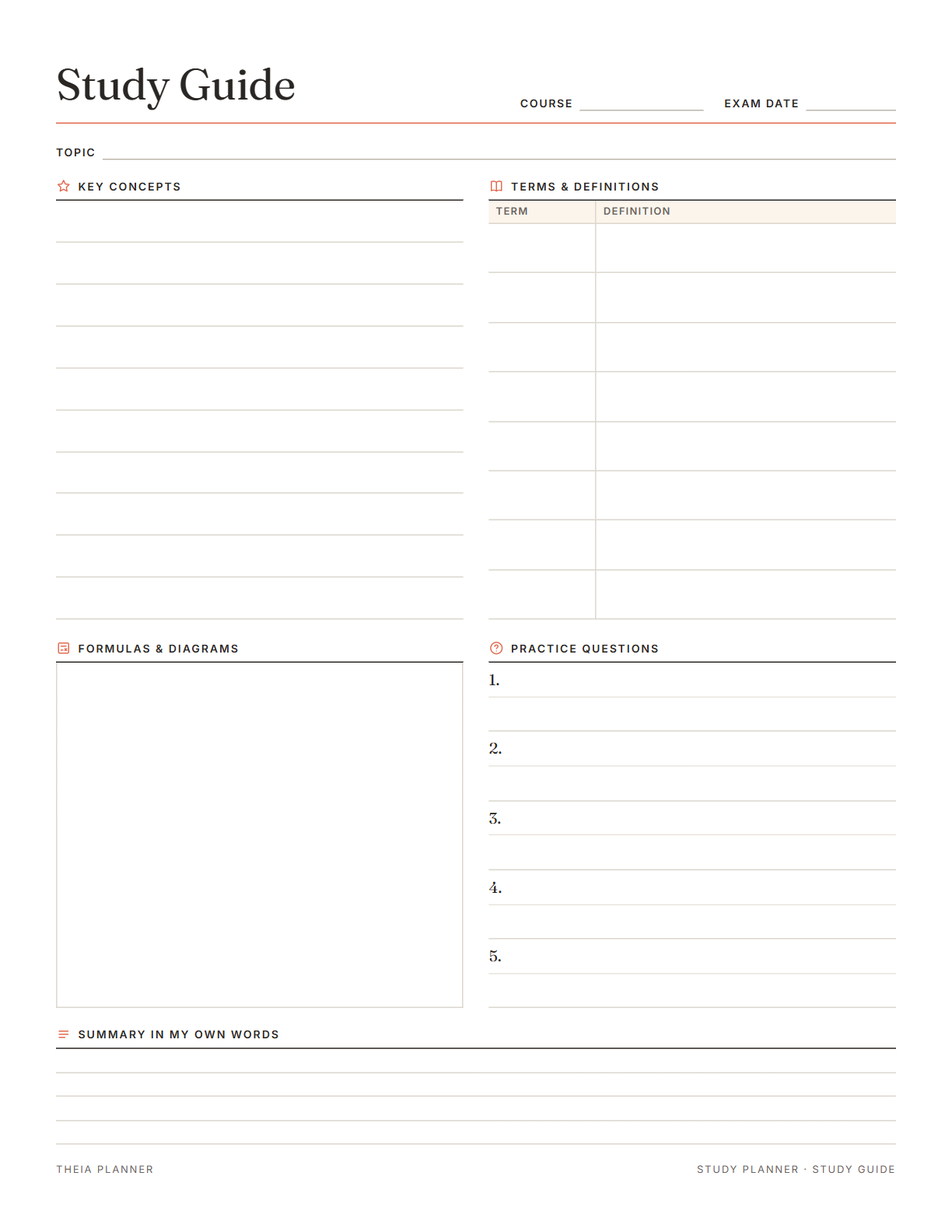
Blank study guide template to edit and print
Pick your settings, type on the lines and tick the boxes, then print it or save it as a PDF. It is free, with no sign-up and no email.
What is on the study guide template
How to fill in a printable study guide
- Label the pageEdit the title, then add the course, the exam date and the topic. Pick US Letter or A4 and an accent color.
- Fill in each sectionType your key concepts, terms, practice questions and summary. Use the formulas box for equations, or leave it empty to draw in.
- Print and reviewPress Print or save as PDF. Cover the answers and test yourself with the questions in the days before the exam.
The free online version, in action
How to make a study guide in six steps
A study guide is a short summary of one topic that you write yourself. Making it is part of studying, so fill it in from your own notes.
Use the topic line for one chapter, unit or group of lectures. Start a new study guide template for the next topic so each page stays readable. Labeled pages are easier to sort when the final covers the whole term.
Check the syllabus or the teacher's review sheet for what the exam covers. Then go through your notes and slides, and write the main ideas as short lines.
Write each term, then its definition from memory. Check it against the textbook afterward and correct what you missed. The terms you got wrong are the ones to review first.
Put formulas, diagrams, dates or a timeline in the formulas box. Writing them out gives you one place to review them before the test. Check whether your teacher allows a formula sheet in the exam room, and copy only what is allowed.
Turn key ideas into five questions like the ones your teacher asks. Cover the page and answer them from memory, a well-known method called retrieval practice.
Explain the whole topic in a few sentences, as if you were teaching a friend. If you get stuck, go back to the concept you could not explain. Rewrite the summary after you review it, until it reads clearly.
Reminders in your Google Calendar
Connect Google Calendar once, and these items are added to a separate “Theia Planner” calendar. Items with a time get a reminder 30 minutes before.
How calendar sync works- Dated study sessions, each with a 30-minute reminder
- Practice tests on their days
- The rest day before the exam
- Your test day
A study guide for exams, quizzes and finals
Make one page per unit before a test or a final, and keep the pages together in a binder.
Turn lecture notes into one page per topic for midterms and finals, then review them in order.
Sum up each section of a work exam on its own page, with the terms you need to know.
Each person fills in one topic, prints copies and brings them to the next group session.
Study guide format: paper or online?
Each option works. The table below shows what each one does for you.
| Feature | Theia Planner | Free printable | Spreadsheet |
|---|---|---|---|
| Free to start | |||
| Set up for you in about a minute | |||
| Reminders on your phone | |||
| Dates and totals worked out for you | |||
| Works on phone and computer | |||
| Shared with family, with roles | |||
| A paper copy for the fridge |
Study guide template questions
Is the study guide template free?
Yes. Open the page and start typing, with no account to create. Printing and the blank PDF download are free as well.
What should a study guide format include?
A clear format puts the course, exam date and topic at the top. Below come key concepts, terms with definitions, formulas or diagrams, practice questions and a summary. This template follows that order.
Can I type on the study guide template before printing?
Yes. Type straight onto the lines on screen. Your text is kept on this device, in this browser, and it prints with the page. Pressing Clear erases it.
Is the blank study guide template PDF fillable?
No. The downloaded blank file has no fields to type in, so it suits a pen or pencil. To type, fill in the template on this page, then save it from the print window as a PDF.
How many pages should a study guide for exams have?
Make one page per topic or chapter. A final that covers six chapters would have six pages, which you can review one at a time.
When should I make my study guide?
Start about a week before the exam if you can. That leaves days to test yourself with the practice questions and go back over weak spots.
Is there a Word or Google Docs version?
No. There are no Word, Excel or Google versions. The template is made to fill in on screen, then print or save as a PDF.
Can the app plan my study sessions too?
Yes. The free online exam plan asks for your exam, test date, weekly hours and study days. It then sets dated study sessions, practice tests and a countdown to test day.
More free planners and trackers

Plan your exam prep online, free
It is free to start, and the setup takes about a minute.
Start free