The 50/30/20 budget, worked out for you
Enter your monthly take-home pay, and this 50/30/20 budget sheet gives you a target for needs, one for wants and one for savings. List what you spend in each column to see how close you are. When the month is planned, send the page to your printer or keep a PDF file.
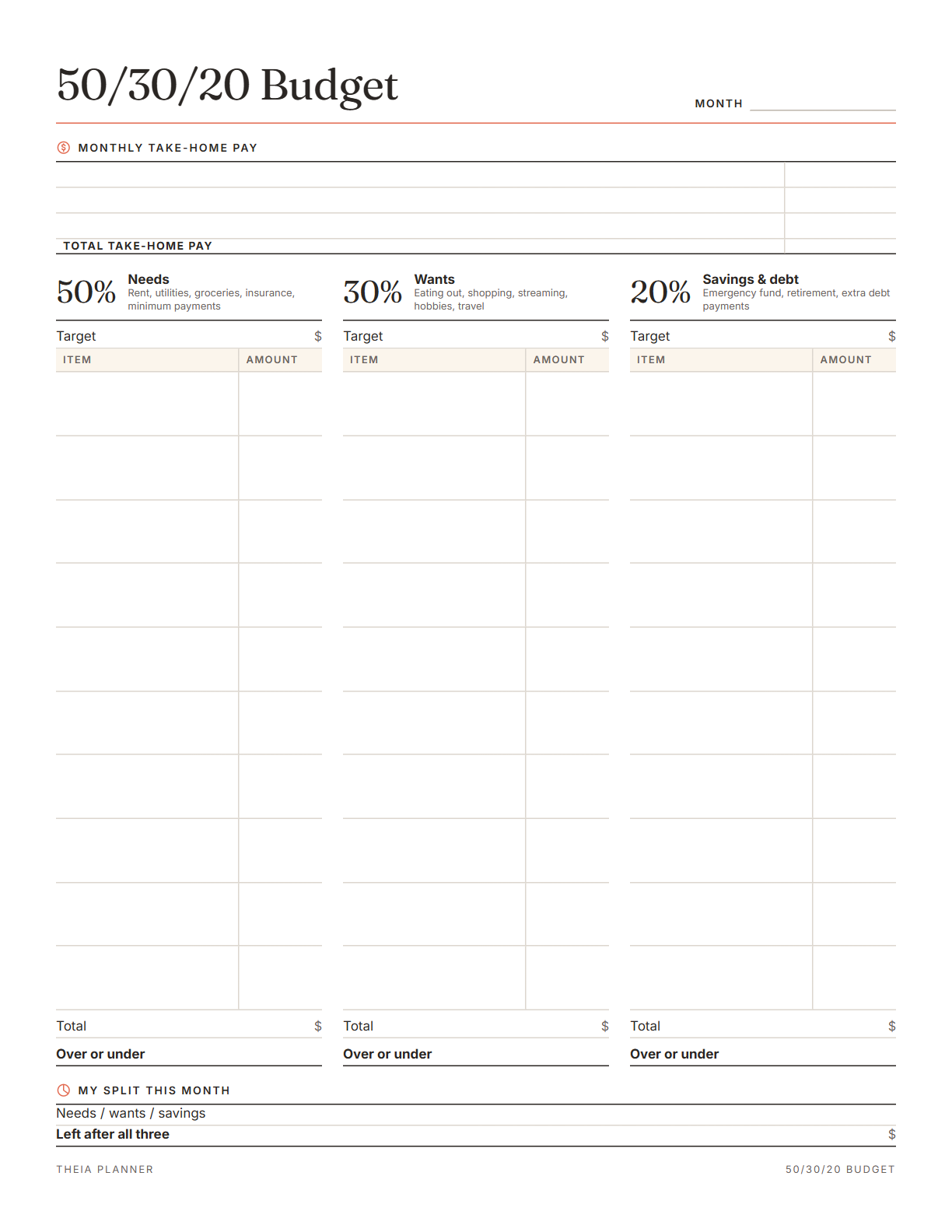
Free 50/30/20 budget worksheet to print
Pick your settings, type on the lines and tick the boxes, then print it or save it as a PDF. It is free, with no sign-up and no email.
What the 50/30/20 budget calculator does
How to set up a 50/30/20 budget
- Enter take-home payType your monthly pay after taxes, using up to three income lines. The three targets fill in right away.
- Sort your spendingList each cost under Needs, Wants or Savings & debt, with its monthly amount.
- Compare and adjustCheck the summary for your real split, then print the sheet or save a PDF.
The free online version, in action
What is the 50/30/20 rule?
The 50/30/20 rule is a common budgeting guideline for take-home pay. Elizabeth Warren and her daughter Amelia Warren Tyagi made it widely known in their book All Your Worth. It splits pay into three shares, so you track a few totals instead of every category.
Needs are costs you must pay to live and work, such as rent, utilities, groceries, insurance and minimum debt payments. The rule puts about half of your pay here.
Wants are things you could cut back on, such as dining out, shopping, hobbies, streaming and travel. Sorting each cost honestly matters more than finding the perfect label.
This part covers an emergency fund, retirement and debt payments above the minimum. Some people call it the 50 30 20 savings rule because of this last share. Building a small emergency fund first is a common place to start.
Use the money that actually reaches you after taxes and deductions. With uneven pay, start from a typical low month instead of a good one. Any extra in a better month can go to savings.
Where rent is high, needs can take well over half of pay. Shift the split, for example to 60/20/20, and keep some amount going to savings. Review the numbers again when your rent or pay changes.
It is a general guide, and this page is not financial advice. A nonprofit financial counselor can help if debt or income makes the split hard to reach.
Reminders in your Google Calendar
Connect Google Calendar once, and these items are added to a separate “Theia Planner” calendar. Items with a time get a reminder 30 minutes before.
How calendar sync works- Bills and subscriptions on their due days
- Monthly bills that come back each month
- Yearly bills in the month they are due
Who the 50/30/20 rule works for
Three simple targets make a first salary easier to plan, before spending habits set in.
Add both incomes on separate lines, then agree on what counts as a need and what counts as a want. Talking through the Wants column early heads off arguments later.
Plan from a slower month, and use the summary to check that savings kept up.
Compare your real split each month and spot when wants start to take more than planned.
50/30/20 budget by hand or online?
Each option works. The table below shows what each one does for you.
| Feature | Theia Planner | Free printable | Spreadsheet |
|---|---|---|---|
| Free to start | |||
| Set up for you in about a minute | |||
| Reminders on your phone | |||
| Dates and totals worked out for you | |||
| Works on phone and computer | |||
| Shared with family, with roles | |||
| A paper copy for the fridge |
50/30/20 budget questions
What is the 50/30/20 rule?
It is a guideline that splits take-home pay three ways. Half goes to needs, 30% to wants and the last 20% to savings and debt. You can shift the shares when your costs call for it.
Is the 50/30/20 budget calculator free?
Yes. Fill it in on screen, print it or download a blank PDF. No account or email address is needed.
Is the budgeting 50 30 20 rule the same as the 50/30/20 budget?
Yes. People write it with spaces, slashes or dashes, but it is one guideline. Each version splits take-home pay into needs, wants and savings.
Do minimum debt payments count as needs?
Yes, in the usual version of the rule. Payments above the minimum count toward the 20% for savings and debt.
What if my needs are more than 50%?
That is common where housing costs are high. Trim wants first, keep some savings going and treat the numbers as targets to work toward. Even a small savings amount each month keeps the habit going.
Does the 50/30/20 budget sheet show my actual split?
Yes. A summary turns your totals into percentages, and each column shows how far over or under its target you are.
Is this financial advice?
No. The 50/30/20 rule is a general guideline. For advice on your own money, talk to a financial counselor or adviser.
Does the online budget board use 50/30/20?
No. The free online board tracks spending against one monthly amount in ten categories, with bills, savings and debts. Use the printable sheet for the split.
More free planners and trackers

Plan your budget free online
It is free to start, and the setup takes about a minute.
Start free