Time card calculator with lunch breaks
Type the times you clocked in and out, and this time card calculator totals each day for you. It takes out the lunch break and splits the week into regular hours and overtime. Print the card or save it as a PDF for payroll.
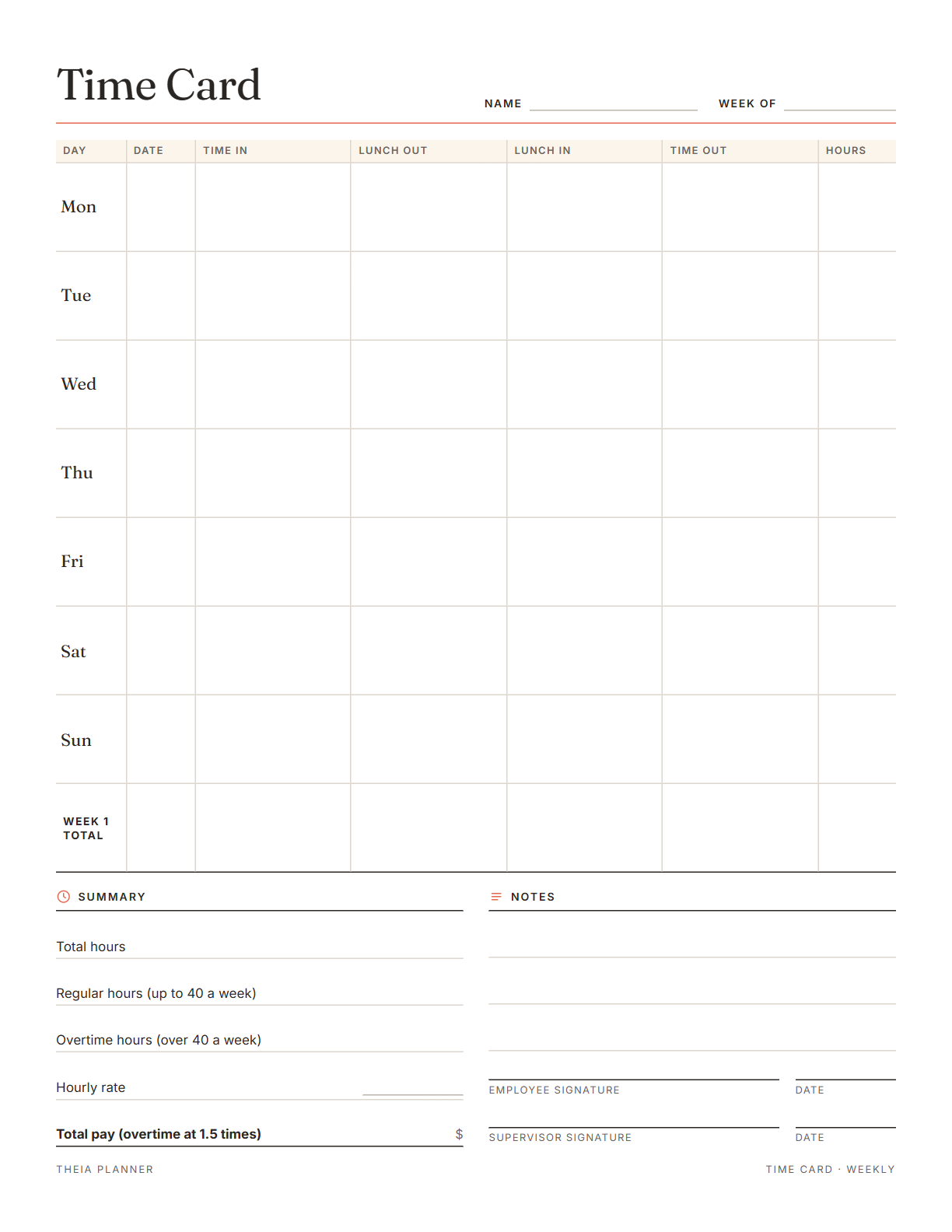
Free weekly timesheet to type on and print
Pick your settings, type on the lines and tick the boxes, then print it or save it as a PDF. It is free, with no sign-up and no email.
What the time card calculator works out
How to use the timesheet calculator with lunch
- Set up the cardPick one or two weeks and your paper size, and start the week on Monday or Sunday. Then add your name, the week and your hourly rate.
- Type your timesEnter time in, lunch out, lunch in and time out for each day you worked. Daily and weekly totals update as you type.
- Print, sign and hand inPress Print or save as PDF. Sign the employee line and give the card to your supervisor for the second signature.
The free online version, in action
How to fill in a time card and count overtime
A time card is a record of the hours you worked each day. These tips cover rounding, lunch breaks and the basics of overtime pay in the US.
Note your start time when you arrive and your finish time when you leave. Filling in the card from memory on Friday leads to small errors that add up. A note on your phone works until you can type the times in.
Some employers round clock times to the nearest few minutes or quarter hour. The time card calculator uses the exact times you enter, so ask which times payroll expects.
Payroll usually works in decimal hours. Fifteen minutes is 0.25 hours, 30 minutes is 0.50 and 45 minutes is 0.75, so 7 hours 45 minutes becomes 7.75.
An unpaid meal break comes off your paid time, so write both times even when the break is short. Break rules differ by state and by employer. Your handbook or your manager can tell you which breaks are paid.
Under federal law, non-exempt workers earn at least 1.5 times their regular rate for hours over 40 in a workweek. Some states, such as California, also count overtime by the day.
This page is general information and not legal advice. Your HR team or your state labor department can confirm the rules for your job.
Reminders in your Google Calendar
Connect Google Calendar once, and these items are added to a separate “Theia Planner” calendar. Items with a time get a reminder 30 minutes before.
How calendar sync works- Work shifts you add as timed tasks
- A phone reminder 30 minutes before a shift starts
- Shifts that repeat on the same weekday
Who uses a free timesheet template
Keep your own copy of each week and check it against your pay stub when it arrives. A saved PDF makes a simple record.
Track the hours worked for a family. The parent who pays you can sign the supervisor line.
Hand a weekly timesheet to each part-time worker, then add up the hours for payroll.
Write start and finish times on each job day, and let the rate line work out what to bill.
Paper time card, app or spreadsheet?
Each option works. The table below shows what each one does for you.
| Feature | Theia Planner | Free printable | Spreadsheet |
|---|---|---|---|
| Free to start | |||
| Set up for you in about a minute | |||
| Reminders on your phone | |||
| Dates and totals worked out for you | |||
| Works on phone and computer | |||
| Shared with family, with roles | |||
| A paper copy for the fridge |
Time card calculator questions
Can I use the time card calculator free of charge?
Yes. There is no fee, no sign-up and no email. Your times stay in this browser until you press Clear.
Does the time card calculator take out lunch?
Yes. Enter lunch out and lunch in, and the break comes off that day's hours before the week is totaled.
Does it work as a timecard with lunch calculator for night shifts?
Yes. A shift that ends after midnight counts into the next morning, and the lunch break still comes off the total.
How does it count overtime?
Hours over 40 in a week count as overtime, paid at 1.5 times your rate when you enter one. It does not work out daily overtime, which some states require.
Can I use it as a timesheets calculator for several workers?
Yes, one card at a time. Fill in a card for each person, print it or save a PDF, then press Clear for the next one.
Can I print a blank weekly timesheet?
Yes. Use Download blank PDF for an empty card in Letter or A4. Workers can then write their times by hand.
Is this legal or payroll advice?
No. The card follows the federal 40-hour weekly overtime rule only. Check your state's rules with your employer or your state labor department.
Does the online app track hours too?
Yes. The free hours block logs today's hours and tips, then shows earnings from your hourly rate. It does not work out overtime.
More free planners and trackers

Log your work hours free online
It is free to start, and the setup takes about a minute.
Start free